
How to play
From opening the game on the TV to the big reveal, in a few minutes.
Step by step
Open the game on the TV
On the TV or a computer, open the web browser and go to sgjoin.party. It opens the same page as secretgiftjourney.com/play.
The host scans the TV
The host opens the app, taps “Host a game” and scans the code on the TV.
Everyone joins for free
Scan the TV code to join the game.
Put your gift under the tree
Bring a wrapped gift and put it under the tree.
Roll on your turn
Play on your phone. The TV shows the board and what to do.
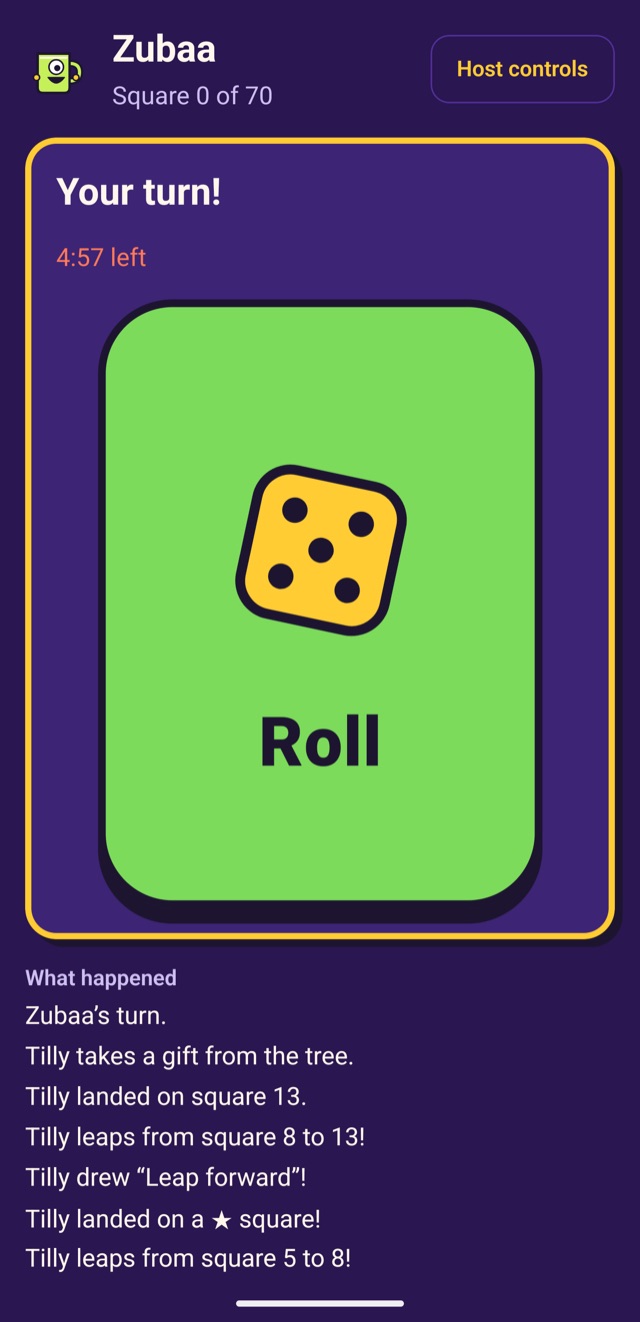
Land on special squares
A ★ square brings a lucky effect and a ☠ square an unlucky one: gifts get stolen, players swap places or move back.
See every square in the rules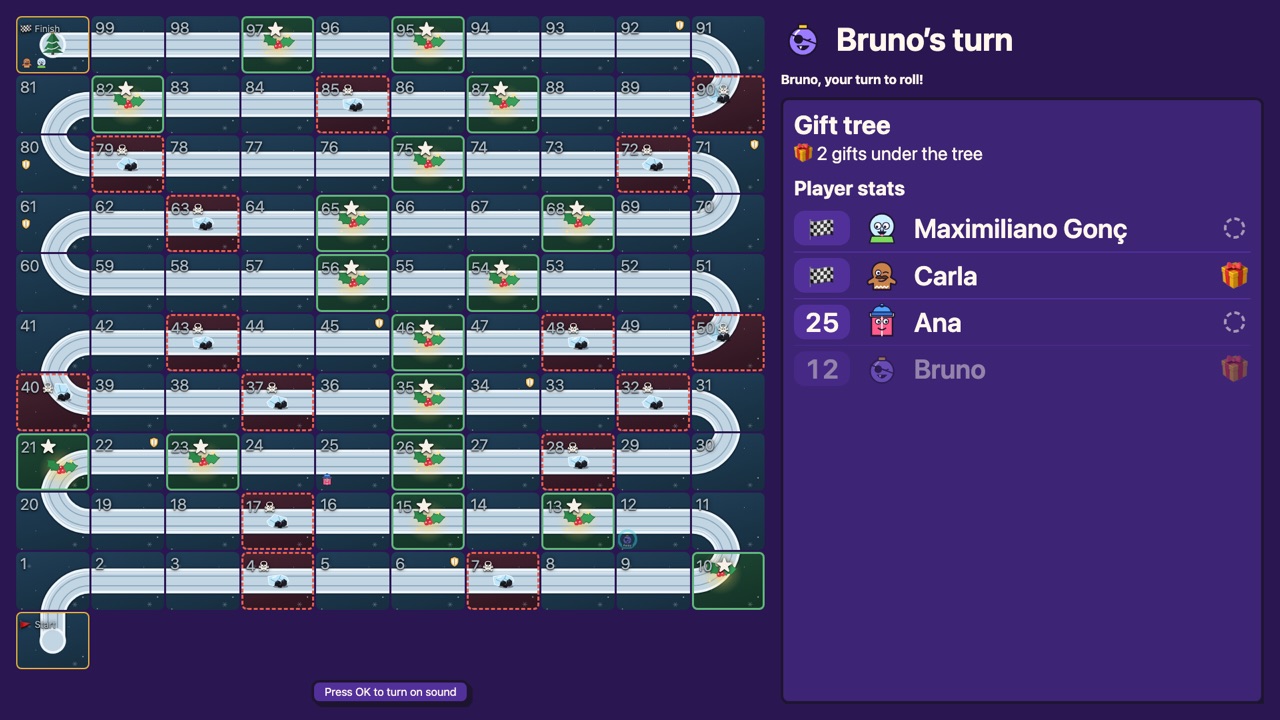
Your first gift
Your first gift: steal one from another player or take one from the tree.
🛡 squares keep you safe
Players on a 🛡 square are safe: no one can take their gift, trade gifts with them or swap places with them.
Reach the finish
A player who reaches the finish keeps their gift, and no one can take it from then on. The game ends when only one player is still on the way.
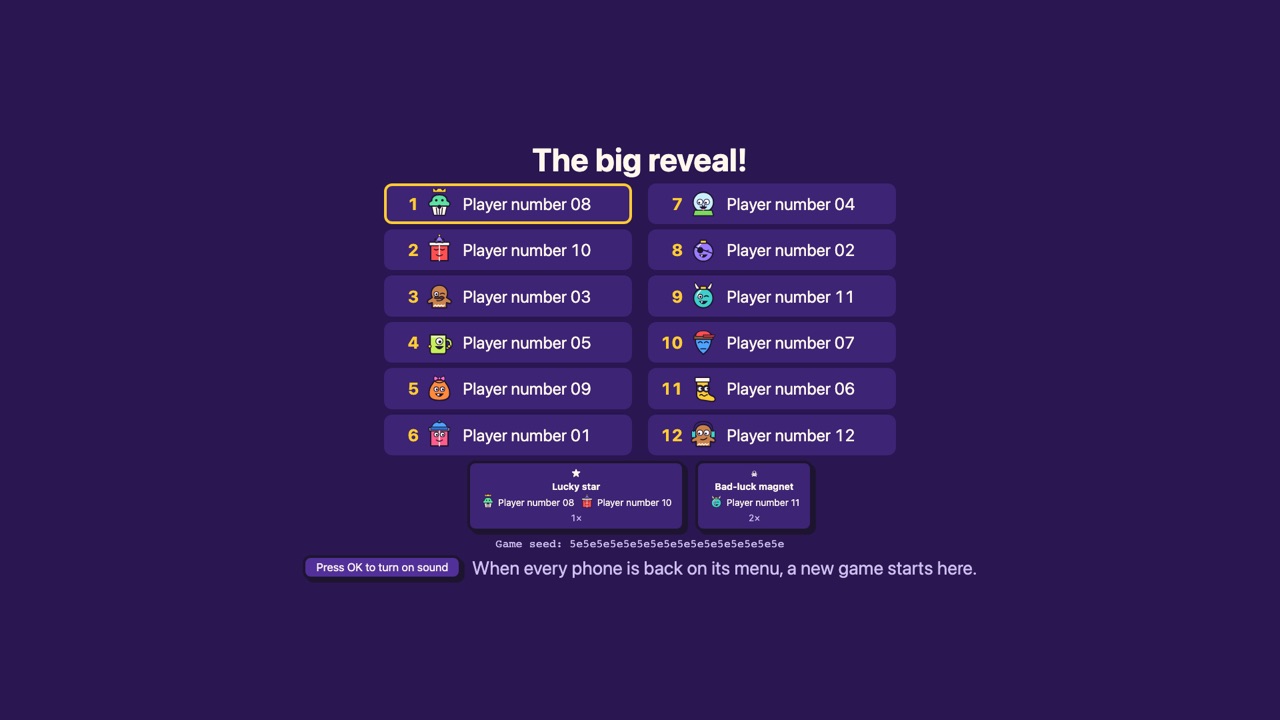
The big reveal
The TV shows every player in finishing order and who takes home which gift. Time to unwrap!


Host checklist
- Get the Host Pass in the app. Guests join for free.
- Open sgjoin.party in the TV’s web browser.
- Put the TV and every phone on the same Wi-Fi.
- Gather 2 to 32 players, each with a wrapped gift. Very large groups depend on your TV.
- In the lobby, pick a board of 40, 70 or 100 squares and play with 1 or 2 dice.
- When everyone is in the lobby, tap “Start game”.

Guest in 60 seconds
- Install the free app on your phone.
- Scan the TV code to join the game.
- Bring a wrapped gift and put it under the tree.
- Play on your phone. The TV shows the board and what to do.
What you need
- A TV or computer with an up-to-date web browser
- A phone for each player, iPhone or Android, with the free app
- The TV and every phone on the same Wi-Fi
- Next, allow the camera. On iPhone, also allow local network so the phone can find the TV.